



A Few Words About Safety
Your safety, and the safety of others, is very important. And operating this vehicle safely is an important responsibility.
To help you make informed decisions about safety, we have provided operating procedures and other information on labels and in this manual. This information alerts you to potential hazards that could hurt you or others.
Of course, it is not practical or possible to warn you about all the hazards associated with operating or maintaining your vehicle. You must use your own good judgement.
You will find this important safety information in a variety of forms, including:
● Safety Labels - on the vehicle.
● Safety Messages - preceded by a safety alert symbol
 and
one of three signal words: DANGER, WARNING, or CAUTION.
and
one of three signal words: DANGER, WARNING, or CAUTION.
These signal words mean:
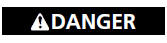
You WILL be KILLED or SERIOUSLY HURT if you don’t follow instructions.
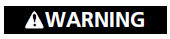
You CAN be KILLED or SERIOUSLY HURT if you don’t follow instructions.
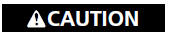
You CAN be HURT if you don’t follow instructions.
● Safety Headings - such as Important Safety Precautions.
● Safety Section - such as Safe Driving.
● Instructions - how to use this vehicle correctly and safely.
This entire book is filled with important safety information - please read it carefully.
See also:
Charging System Indicator
If the charging system indicator comes on brightly when the engine is running,
the battery is not being charged.
Immediately turn off all electrical accessories. Try not to use other electrically ...
Rearview Camera
About Your Rearview Camera
Models without navigation system
The audio/information screen can display your vehicle’s rear view. The display
automatically changes to a rear view when the shift leve ...
Checking the Battery
Check the condition of the battery monthly by looking at the test indicator window.
The label on the battery explains the test indicator’s colors.
The location of the test indicator window vari ...