



Engine Compartment Covers
The component parts in the engine compartment are protected by two covers.You may need to remove the covers when you perform certain maintenance work.To remove the covers:
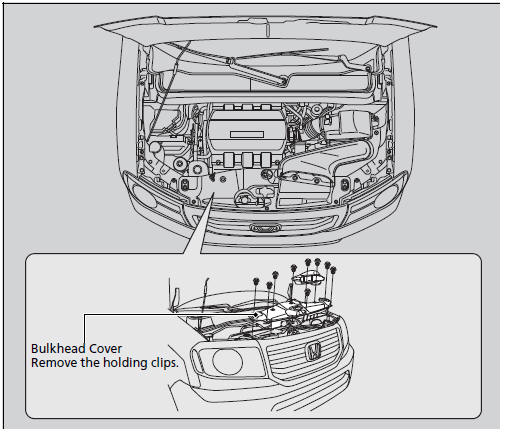
Engine Compartment Covers
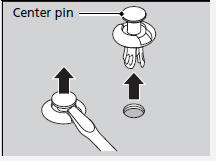
When removing the clip, insert a flat-tip screwdriver, then lift and remove the center pin.
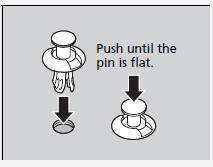
When mounting the clip, insert while keeping the center pin of the clip raised, then push until the pin is flat.
See also:
Driving Guidelines
Your vehicle has higher ground clearance that allows you to travel over bumps,
obstacles, and rough terrain. It also provides good visibility so you can anticipate
problems earlier.
Because your ...
Turn Signal and Headlights
1. Turn Signal
2. OFF
3. Parking and interior lights
4. AUTO
5. Headlights on
6. High Beams
7. Flash high beams
*: If equipped
Turn Signal - Push down on the lever to signal a left turn and ...
Power Windows
Turn the ignition switch to the ON (II) position to raise or lower any window.
To open the window, push the switch down and hold it. Release the switch when you
want to stop the window. To close ...