



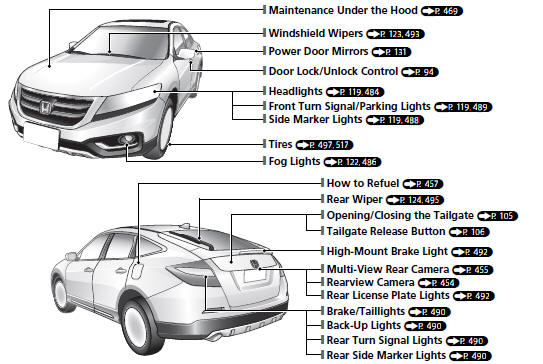
Visual Index
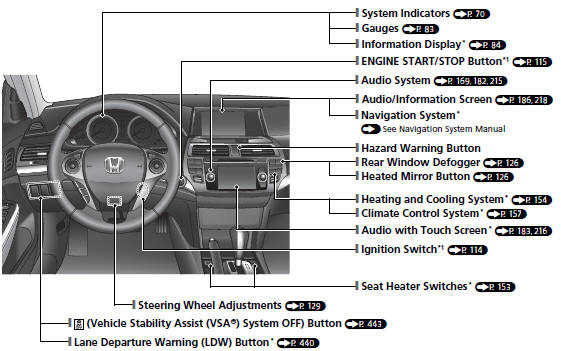
*1: Models with the smart entry system have an ENGINE START/STOP button instead of an ignition switch.
See also:
Driving
This section gives you tips on starting the engine under various conditions,
and how to operate the automatic transmission. It also includes important information
on parking your vehicle, the brak ...
Driving
This chapter discusses driving, refueling, and information on items such as
accessories. ...
Charging the Battery
Disconnect both battery cables to prevent damaging your vehicle's electrical
system. Always disconnect the negative (–) cable first, and reconnect it last.
Battery
WARNING
The battery gives ...