



Audio System
Audio system without touch screen
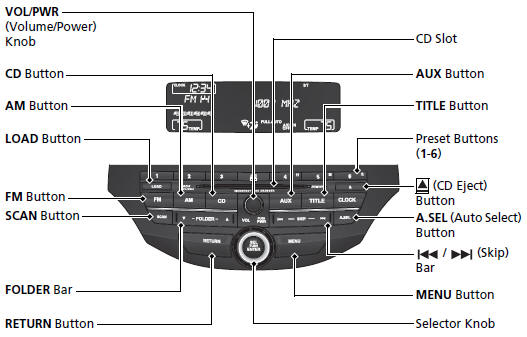
Models without navigation system
Audio system with touch screen
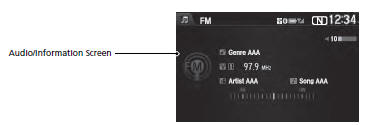
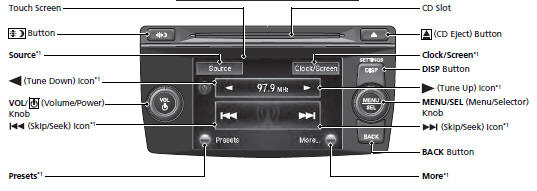
*1: Icons that appear on the screen vary by the source selected.
Models with navigation system
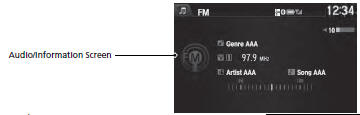
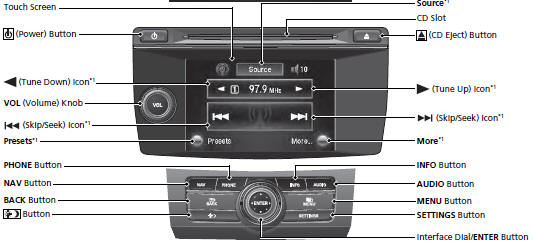
*1: Icons that appear on the screen vary by the source selected.
See also:
Additional Information About Your Airbags
Airbag System Components
Airbag System Components
Your airbag system includes:
Two SRS (supplemental restraint system) front airbags. The driver’s airbag is
stored in the center of the stee ...
Moonroof
If equipped
The moonroof can be tilted up in the back for ventilation, or it can be slid
back into the roof. Use the switch on the front ceiling to operate the moonroof.
You must turn the ignit ...
Using Automatic Climate Control
The automatic climate control system maintains the interior temperature you
select. The system also selects the proper mix of heated or
cooled air that will as quickly as possible, raise or lower t ...